
Overview
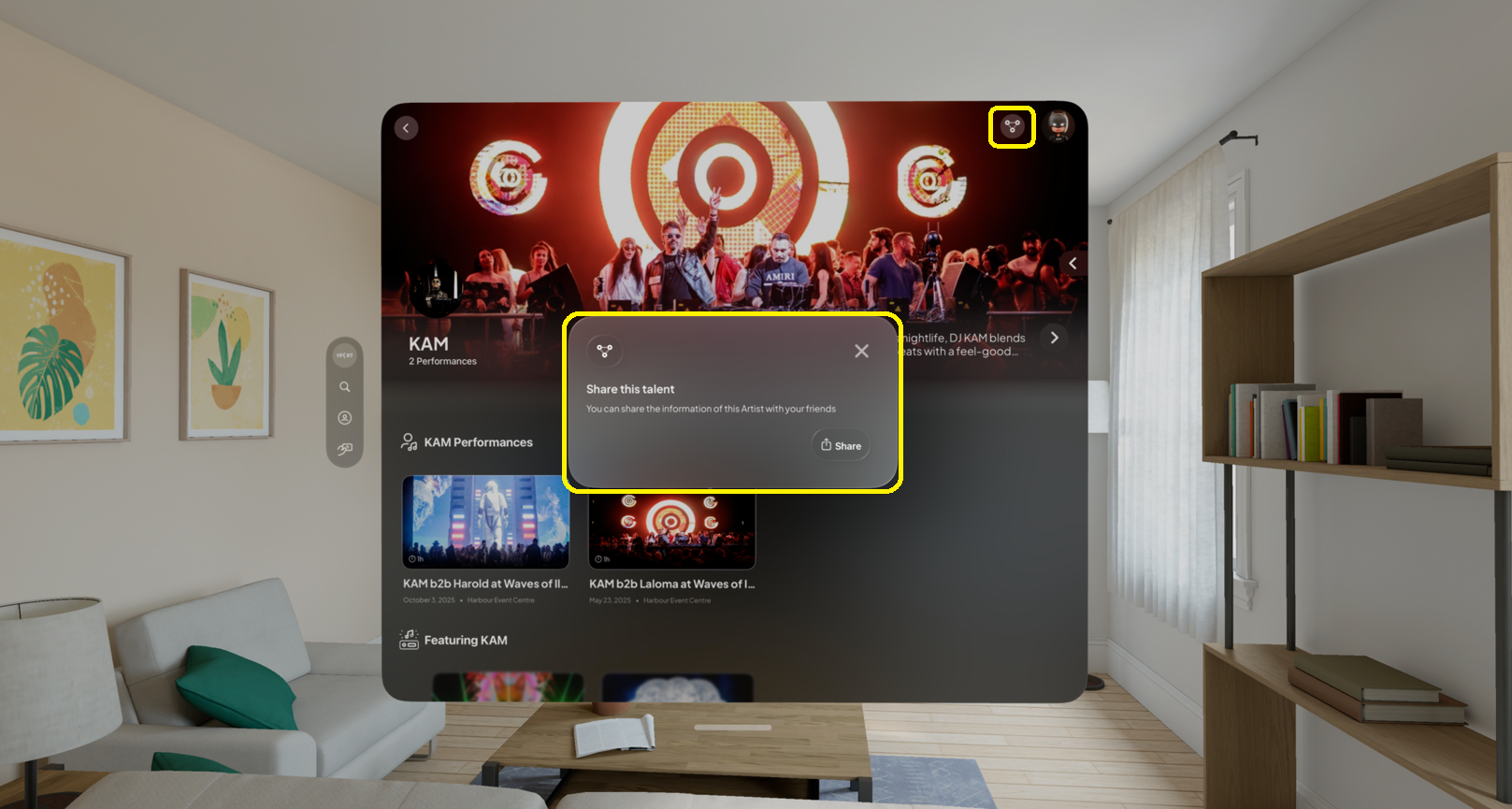
The Artist Page displays the artist’s name, large profile photo (often used as a background), an artist bio with event details, and a gallery of additional photos. It lists upcoming events with links to more details and ticket options, and includes a share icon for easy sharing. Common troubleshooting tips cover searching, loading photos, missing events, and share-button issues.
Purpose
To give visitors a quick, visually engaging summary of an artist, their background, photos, and upcoming events, and to make it easy to share or buy tickets while providing basic troubleshooting guidance.
How to Use
You can access the artist page by clicking on the artist list on the portal page or any other page with the corresponding artist list or icon.
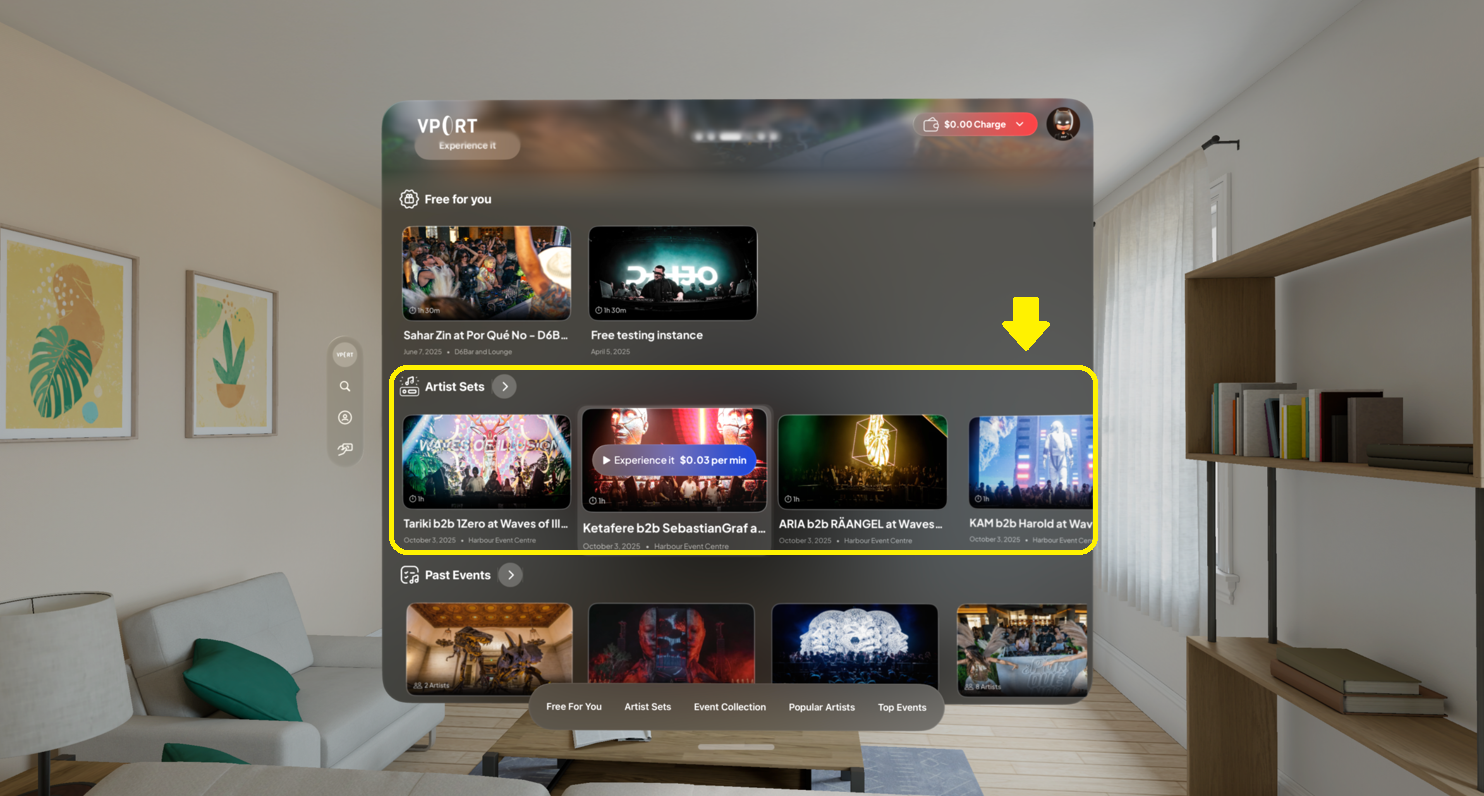
What You'll Find on the Artist Page
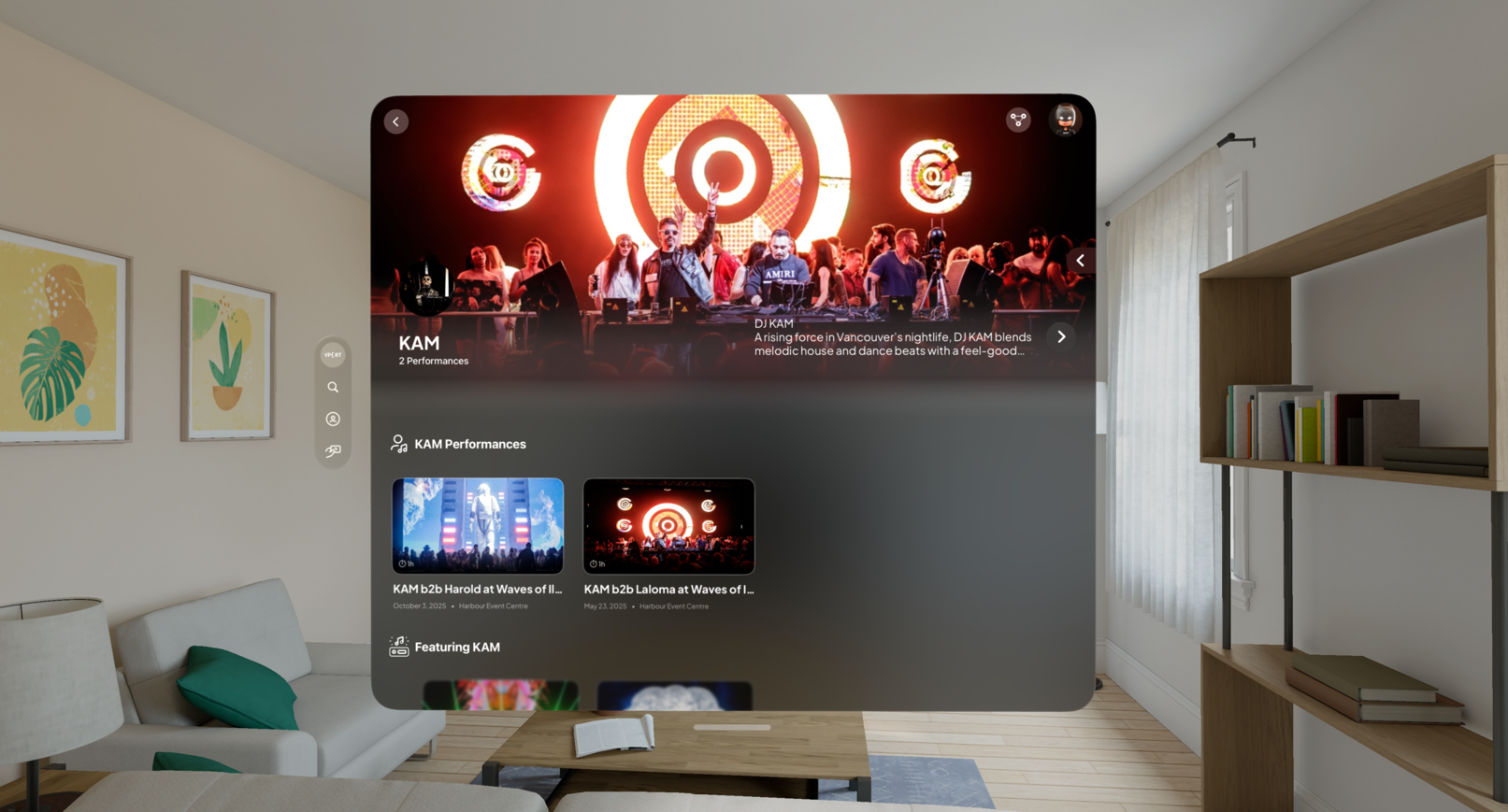
Artist's Name
Displayed at the top of the page in large, clear letters to ensure users immediately know whose page they’re viewing.
Profile Picture and Background
A large artist profile picture is featured. In some cases, this photo may be used as the page background for a more immersive visual effect.
More Photos
If available, a link or button allows users to explore additional photos in a gallery or slideshow.
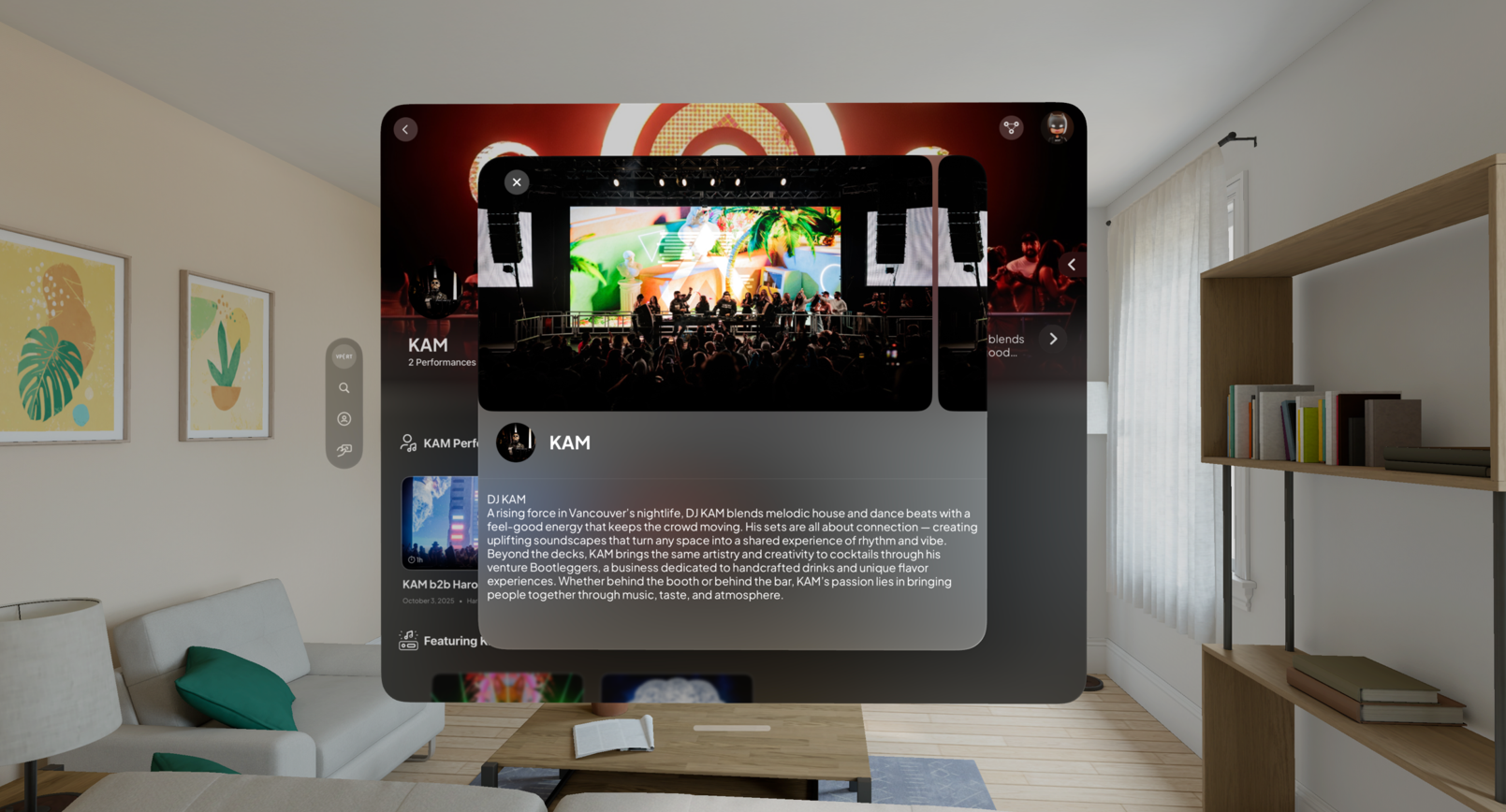
Artist Bio and Event Details
A short summary of the artist’s background, style, and upcoming participation in events is displayed below their main image.
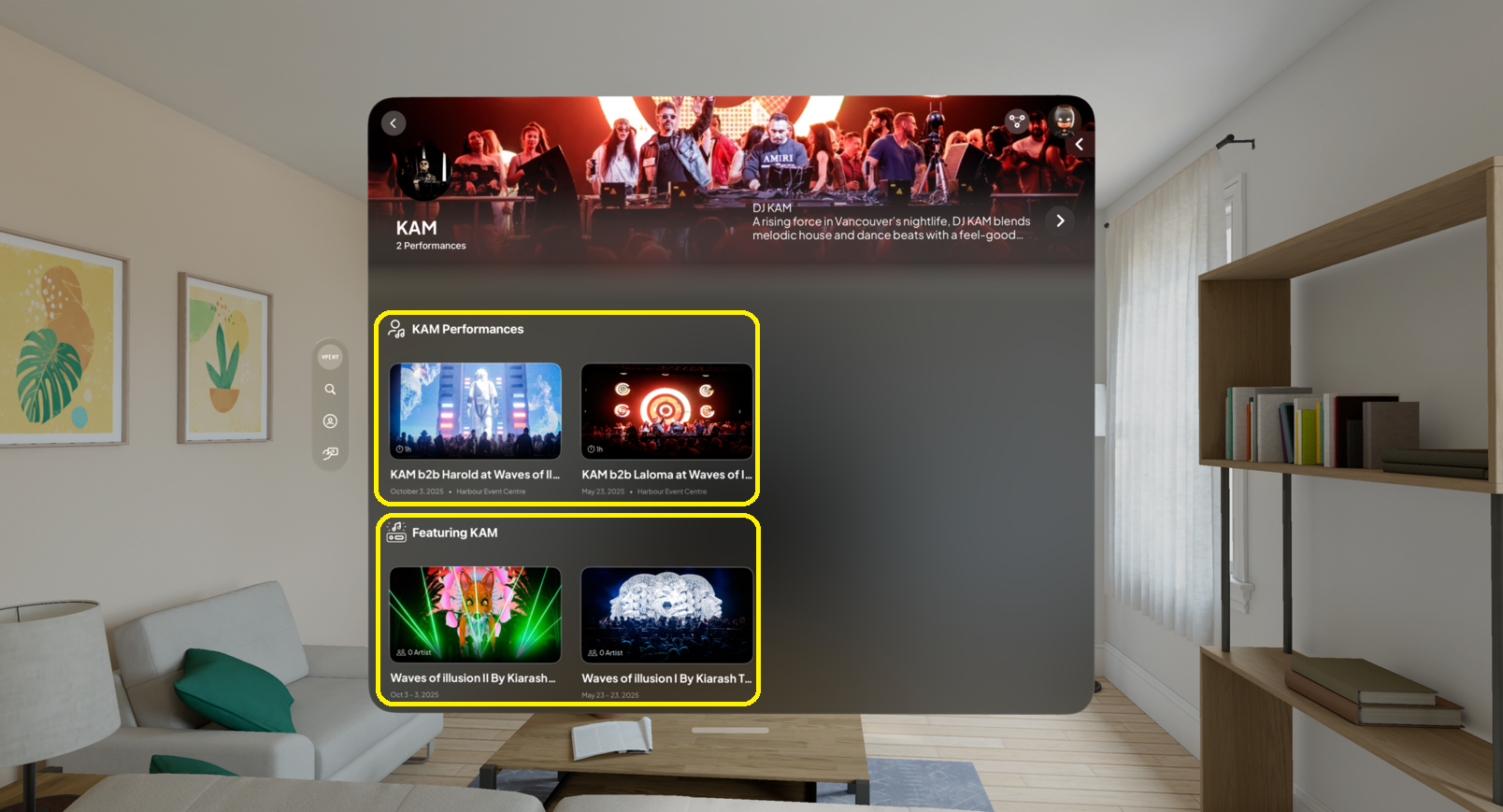
Available Events
A list of upcoming events such as concerts, performances, or exhibitions. Users can click on any event for more details and to purchase tickets.
Share Icon
Located in the top-right corner, typically resembling three connected dots. Users can share the page through social media, email, or by copying the link.
Troubleshooting: Common Issues and Solutions
Can't Find the Artist You're Looking For?
- Double-check the spelling of the artist's name.
- Try using the search bar to find the artist.
- If you still can't find the artist, they may not have a page on our platform yet.
Photos Aren't Loading?
- Make sure you have a stable internet connection.
- Try refreshing the page.
- If the photos still aren't loading, there may be a temporary issue with our servers. Please try again later.
Events are Missing or Incorrect?
- Event information is provided by the artists and venues.
- If you notice any inaccuracies, please contact the VPort support directly.
- Not all artists list all of their events on our platform. Check the artist's website or social media for a complete list of upcoming performances.
Share Icon Isn't Working?
- Make sure JavaScript is enabled in your browser.
- Try a different browser.
- If the share icon still isn't working, there may be a temporary issue with our sharing functionality. Please try again later.