
Home, Search & Detail Pages
Explore Home
Home begins with a featured performance. Select Experience it to open its playback confirmation. Below the feature, VPORT can show:
- Now playing! for performances that are live
- Free for you
- Artist Sets
- Event Collection
- Most Popular Artists
- Top event
- Popular Venues
- Music Brands
- Keep Watching when your account has eligible saved progress
Rows appear when matching content is available, so their artwork and order can change. Cards label live, free, upcoming, or available content and show duration or price when supplied.
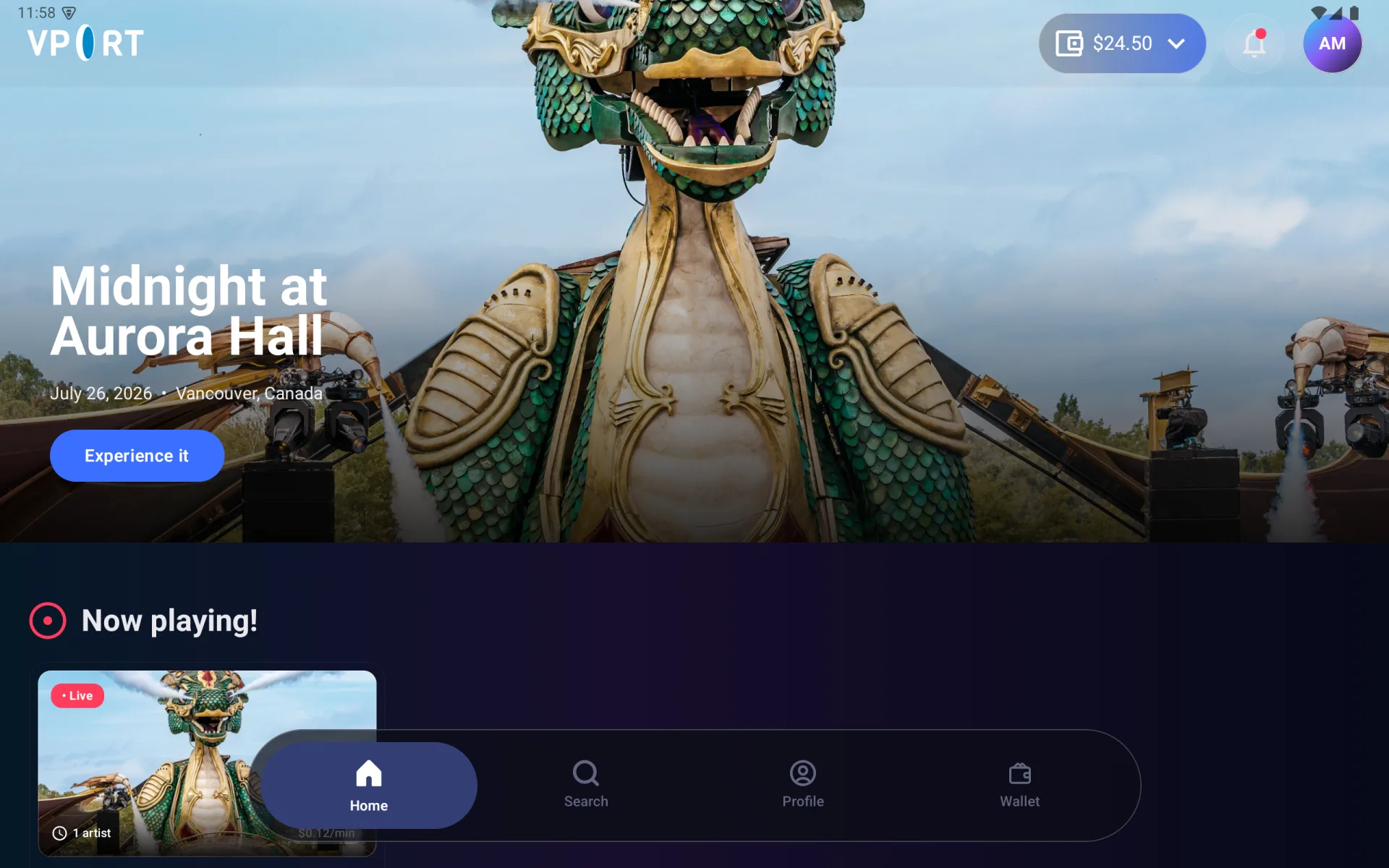
Use these Home shortcuts:
- Select the wallet balance to open Wallet.
- Select the bell to review notifications.
- Select your avatar to open Profile.
- Select an arrow beside a section title to open the complete list.
Search the catalog
- Select Search in the bottom navigation.
- Enter an artist, event, performance, or title.
- Browse matching Now Playing, Artist Sets, Events, and Artists sections.
- Select a card to open its detail or playback flow.
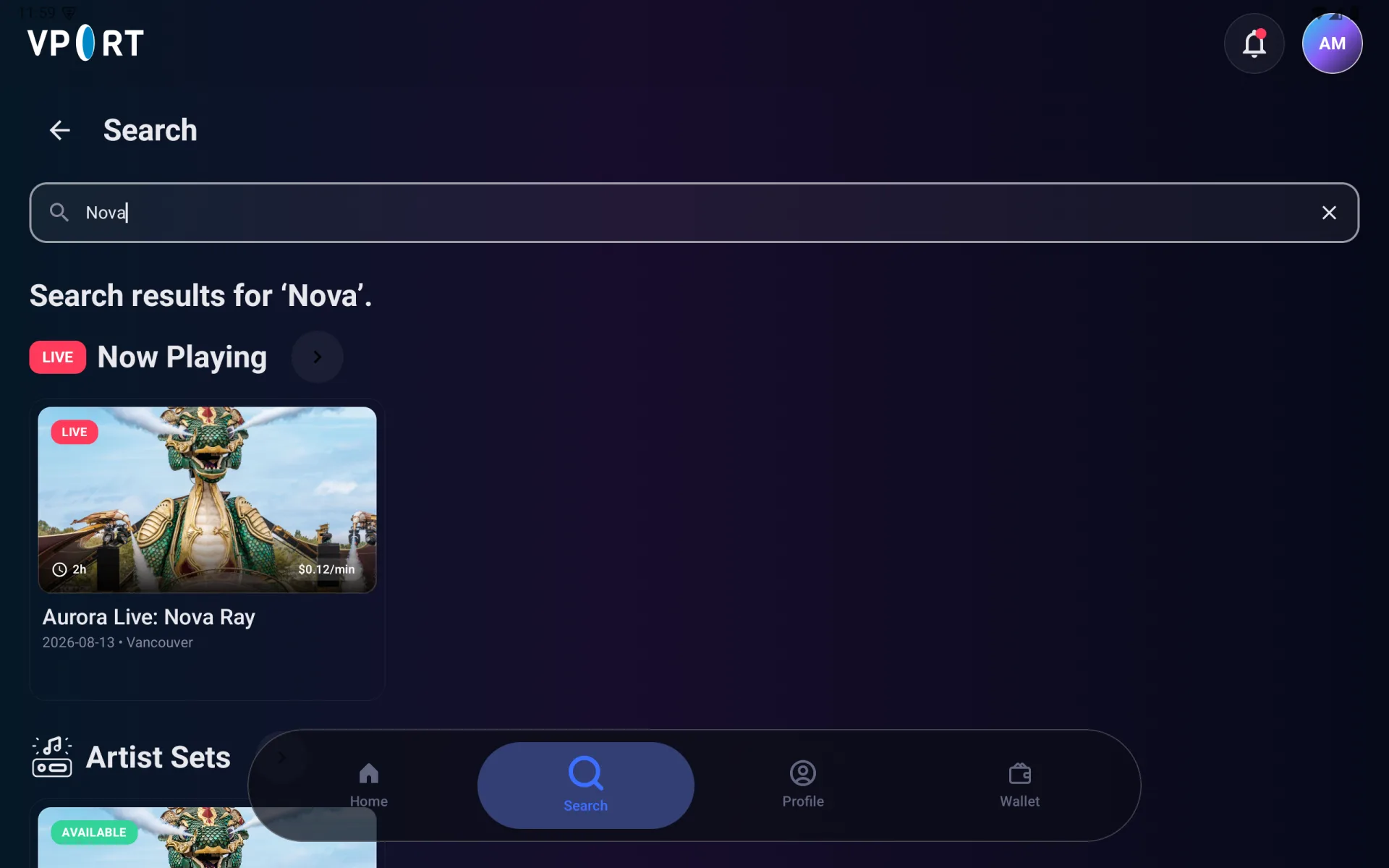
Search updates as you type. Empty categories are omitted. Try a shorter title or another artist name if no results appear.
Understand performance cards
A card can include:
- LIVE for a performance happening now
- AVAILABLE for playable on-demand content
- A date for scheduled or recorded content
- Duration and a per-minute price
- Free when playback does not use wallet credit
Always review the playback confirmation before starting; it shows the current rate and the actions available for your wallet state.
Explore event, artist, venue, and music-brand pages
Detail pages collect the information available for that catalog record:
- Event pages show the overview, venue, lineup, and available performances.
- Artist pages show biography, genres, social links, available sets, events, and venues.
- Venue pages show location details, stages, related performances, events, and artists.
- Music Brand pages show its description, links, artists, and events.
Select Follow on supported artist, venue, or music-brand pages to add it to Following. A record may omit an image, link, or section when that information has not been supplied.
If Home or Search does not load
- Check that the headset is connected to the internet, then select Retry.
- If a Home row is absent, search for the title directly.
- If only one card fails, return and try another performance; include the affected title when contacting Support.
Next, see Watching Live & On Demand.