Getting Started on Web
Welcome to VPORT, the platform for watching immersive live concerts and music events directly in your browser. This guide walks you through creating an account, logging in, and finding your first event to watch at thevport.com.
Create Your Account
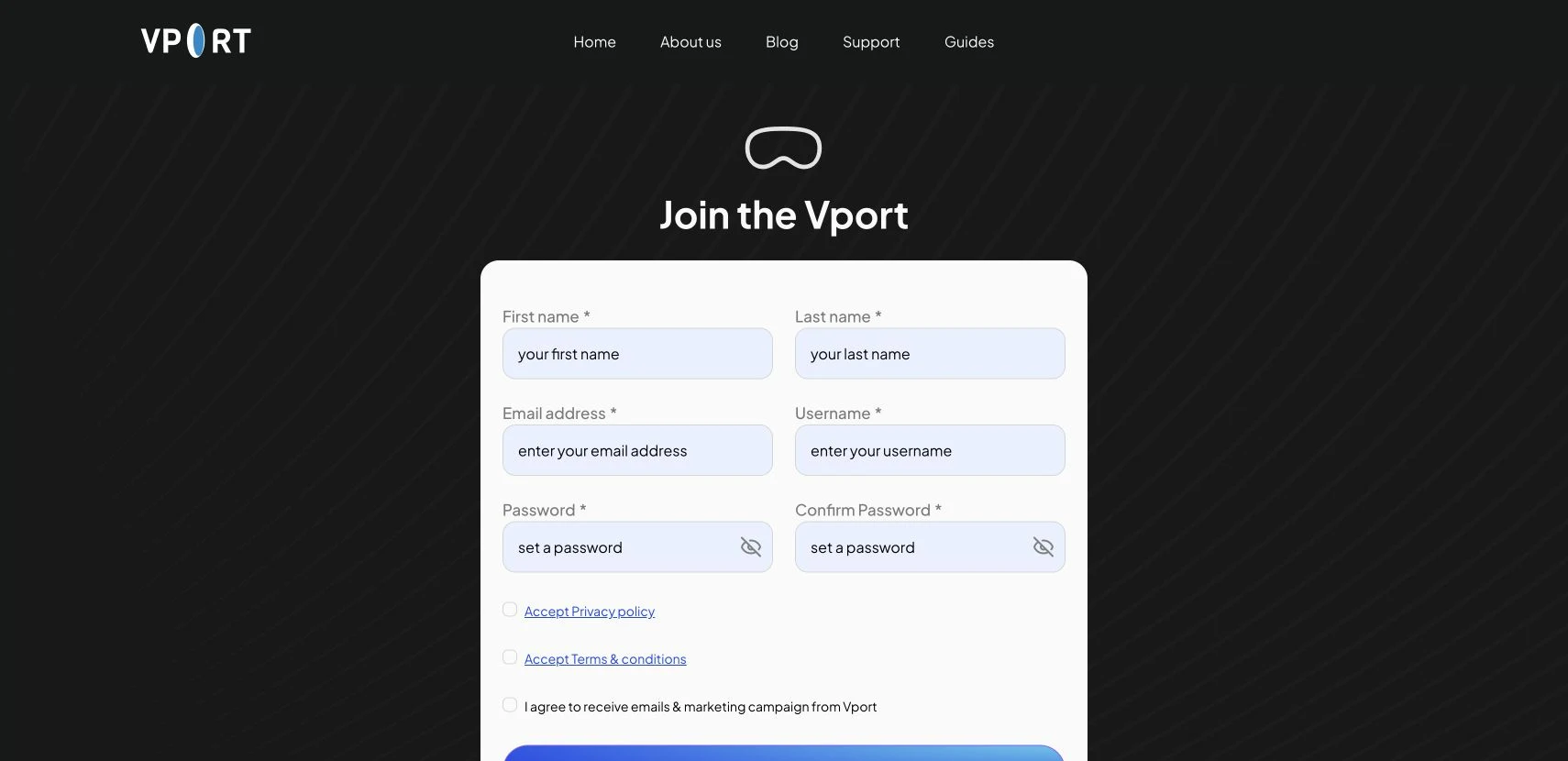
To get started, visit thevport.com/signup in any modern browser. The signup page displays a clean form under the heading Create Your Account with the following fields:
- First name and Last name -- enter your real name as you would like it displayed on your profile.
- Email address -- provide a valid email address for account verification and communication.
- Username -- choose a unique username that identifies you on the platform.
- Password and Confirm Password -- create a strong password. Both fields include an eye toggle icon so you can reveal or hide your password as you type to confirm accuracy.
Below the form fields, you will find two required checkboxes:
- Accept Privacy policy -- you must read and accept the VPORT Privacy Policy before proceeding.
- Accept Terms & conditions -- you must also accept the Terms and Conditions.
Once all fields are filled and both checkboxes are checked, click the signup button to create your account.

Log In
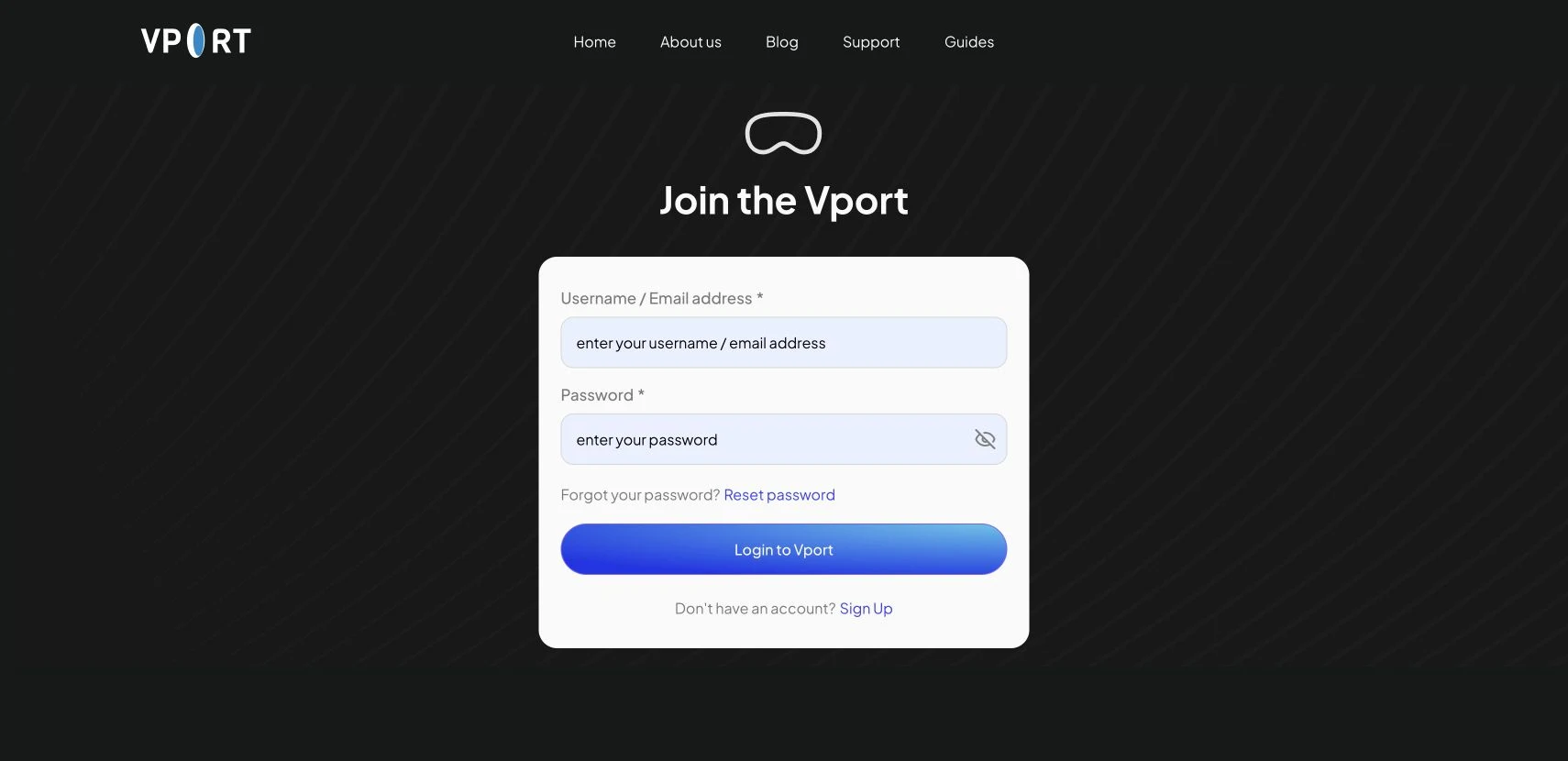
After creating your account, visit thevport.com/login to sign in. The login page features a dark background with the VPORT VR headset logo and the heading Log In to VPORT. You will see two fields:
- Username / Email address -- enter either your username or the email address you registered with.
- Password -- enter your password. An eye toggle icon lets you reveal the password text if needed.
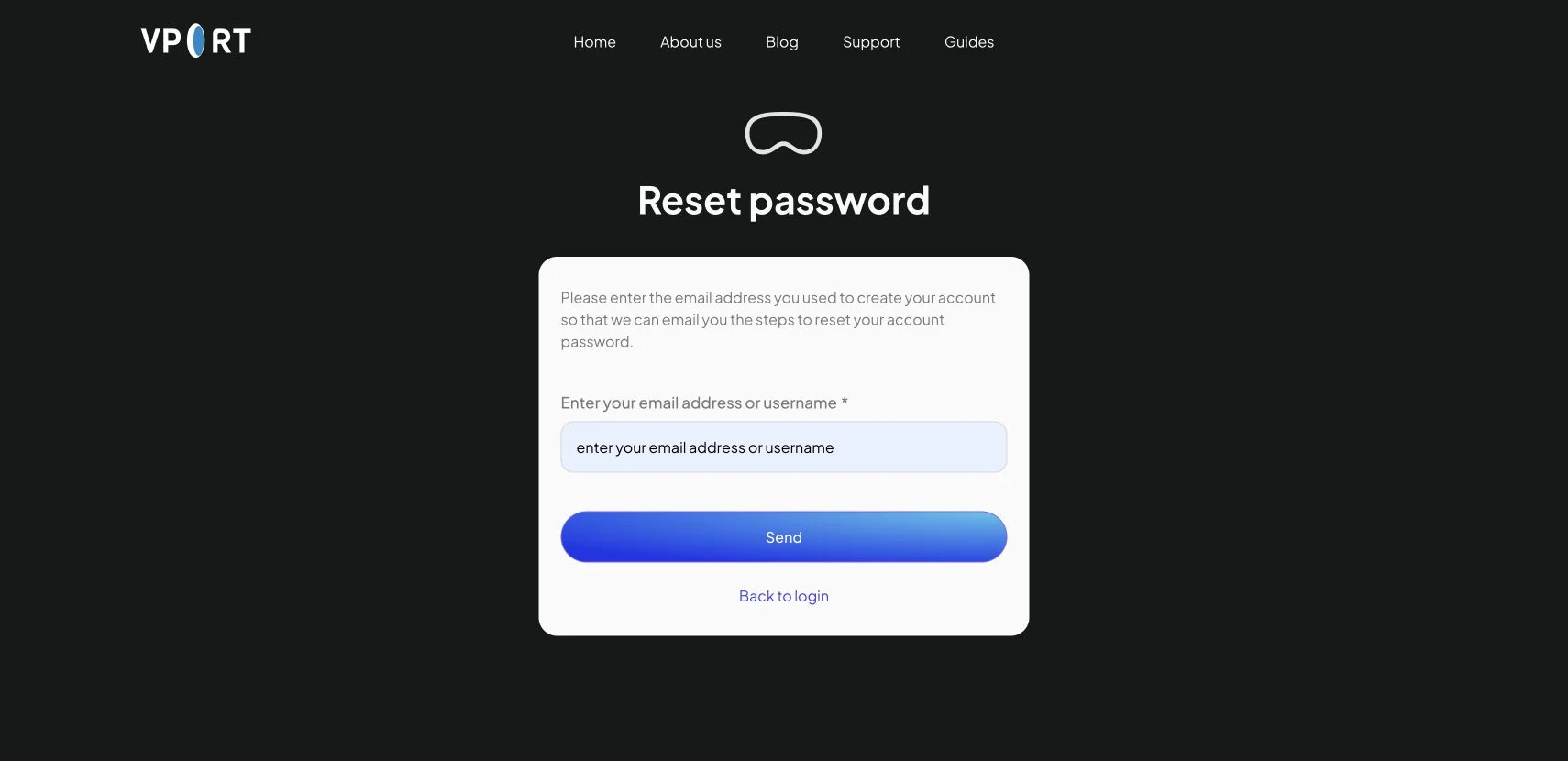
If you have forgotten your password, click the Forget your password? Reset password link below the password field to begin the recovery process.
Click the blue gradient Login to Vport button to sign in. If you do not have an account yet, click the Don't have an account? Sign Up link at the bottom of the form to navigate to the registration page.

Explore the Home Feed
Once logged in, you land on the home page at thevport.com. The top navigation bar includes a hamburger menu on the left, a search bar with the placeholder text "Search artist, music or events...", your wallet balance (for example, "$75.31"), and your user avatar with your display name on the right.
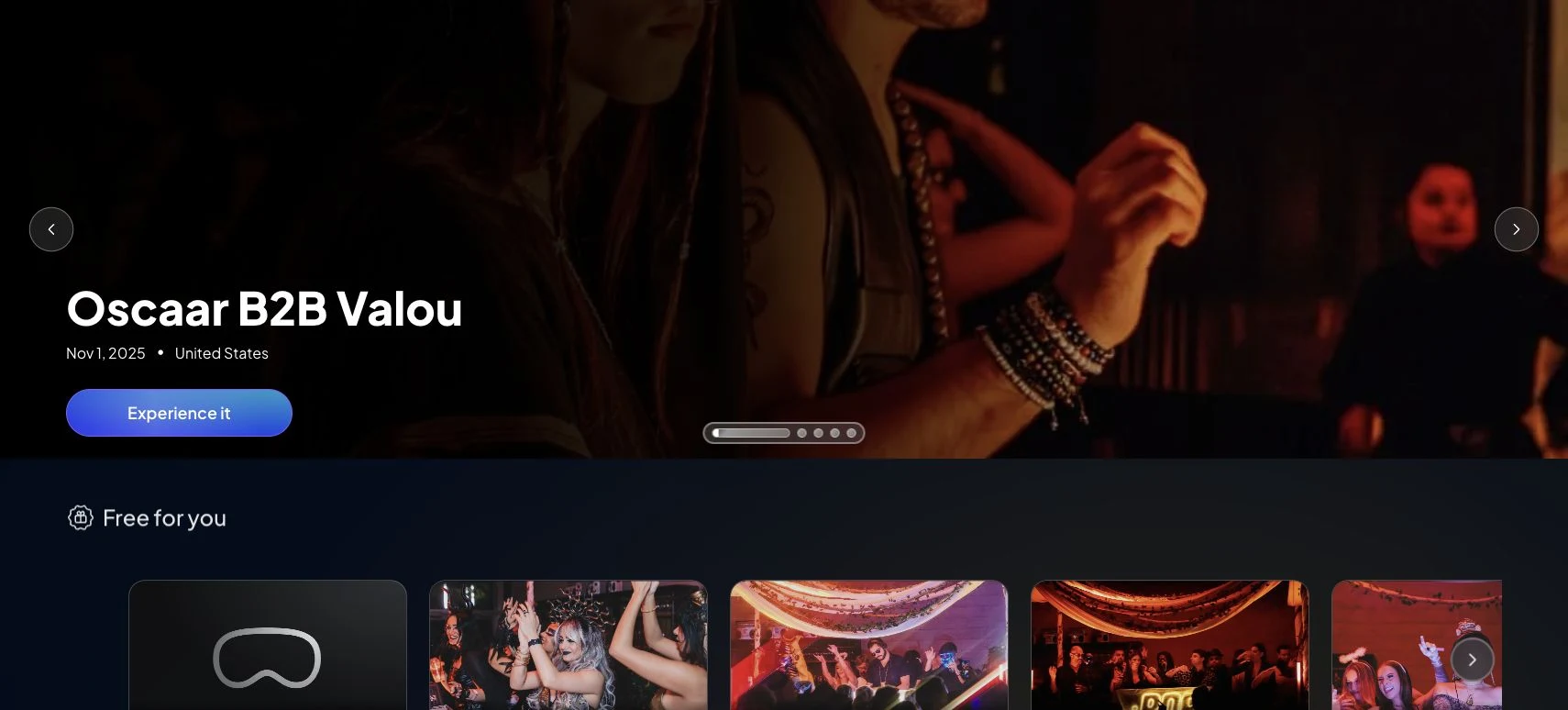
The main content area opens with a large hero banner featuring a highlighted event -- for instance, "Oscaar B2B Valou" -- with an Experience it button that takes you directly into the event player.
Below the hero banner, the home feed is organized into scrollable carousels:
- Free for you -- a horizontal carousel of event cards showing thumbnail images, event titles, and dates. These events are available to watch at no cost.
- Artist Sets -- a carousel showcasing performances by individual artists such as Nick Morgan, Oscaar B2B Valou, Toola B2B Ayaz, and SAHAR ZIN, making it easy to browse by performer.
- Event Collection -- curated groupings of events organized by theme or series.
Continue scrolling to discover additional sections as the feed loads more content dynamically.

Top Up Your Wallet
Some events on VPORT use pay-per-minute billing. Before watching paid content, you will need to add funds to your wallet. Navigate to thevport.com/wallet to choose from preset credit packages -- $5, $10, or $20 -- each with different amounts of included viewing time for Basic and Premium events. Your wallet balance is always visible in the top navigation bar so you can keep track of your remaining credit. For full details, see the Wallet & Payments guide.
That is everything you need to get started. Create your account, explore the home feed, follow your favorite artists, and enjoy immersive concert experiences right from your browser.