
Account & Profile
The web Profile groups account information with links to security and privacy controls. Some identity fields are currently view-only.
Profile information
Open Profile to review the signed-in account's first name, last name, username, and email address.
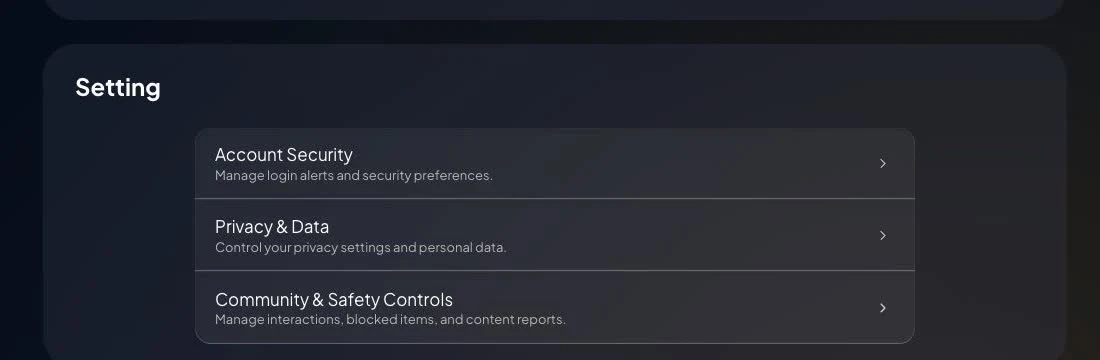
The current Profile groups its settings under Account Security, Privacy & Data, and Community & Safety Controls.
The current Profile does not provide self-service controls for changing the registered email address or phone number. Open a conversation in VPORT Support from the signed-in account when one of these fields needs to change. Support may verify account ownership first.
Account security
Open Account Security to:
- Start the password-reset flow
- Enable or disable New Login Alerts
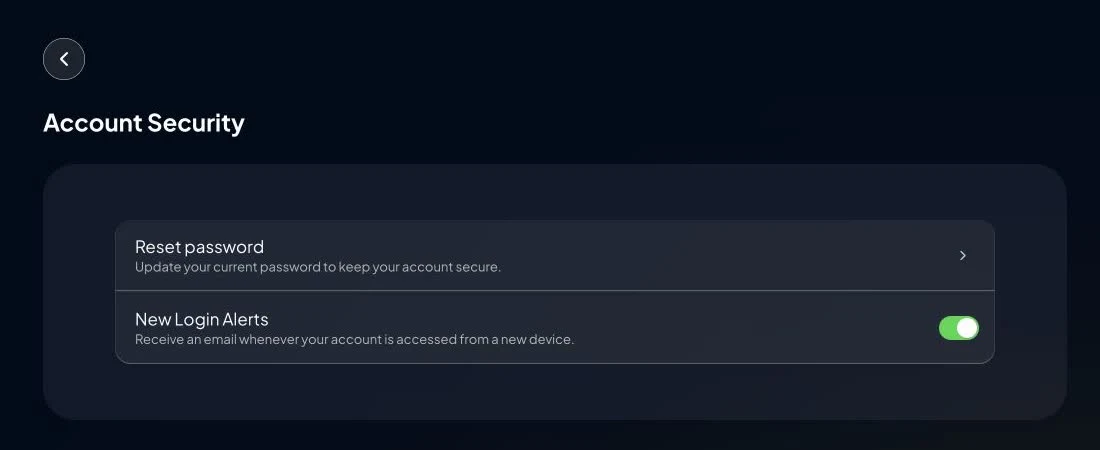
The current web Profile does not expose two-factor-authentication setup or an active-session manager.
If access may be compromised, reset the password, enable login alerts, review Payment History, and contact Support with suspicious dates or screenshots.
Notifications
Open Notifications to manage current push-notification categories such as live events, event reminders, new content, payments and credit, promotions, and system updates.
This page does not currently provide a separate control for every type of email message. Contact Support for an email-subscription issue.
Privacy and account deletion
Open Profile Privacy and select Delete My Account only if you intend to permanently remove the account and its associated data. Read the confirmation carefully.
Resolve open billing, creator, or support matters before deleting the account. Deletion is presented as permanent and cannot be undone.
Safety reminder
Never send your password, reset link, verification code, or complete payment-card details to Support.