
Search
VPORT's search feature helps you find artists and event content across the platform. The search bar is accessible from the top navigation bar and displays the placeholder text "Search artist, music or events...".
Using the Search Bar
Click the search bar in the navigation bar or navigate to thevport.com/search-results to begin searching. Type your query into the search bar -- you must enter at least 3 characters before a search can be submitted.
After you submit, matching results are organized into the following categories:
- Artists -- musicians and performers on the platform, displayed with their name and profile image.
- Live Events -- events that are currently streaming live right now.
- Upcoming Events -- scheduled events that have not started yet.
- Past Events (VODs) -- previously recorded events available for on-demand viewing.
The current results page does not display separate venue or music-brand result sections. Open a venue or music brand from Home, an event, or another linked catalog page.
When No Results Are Found
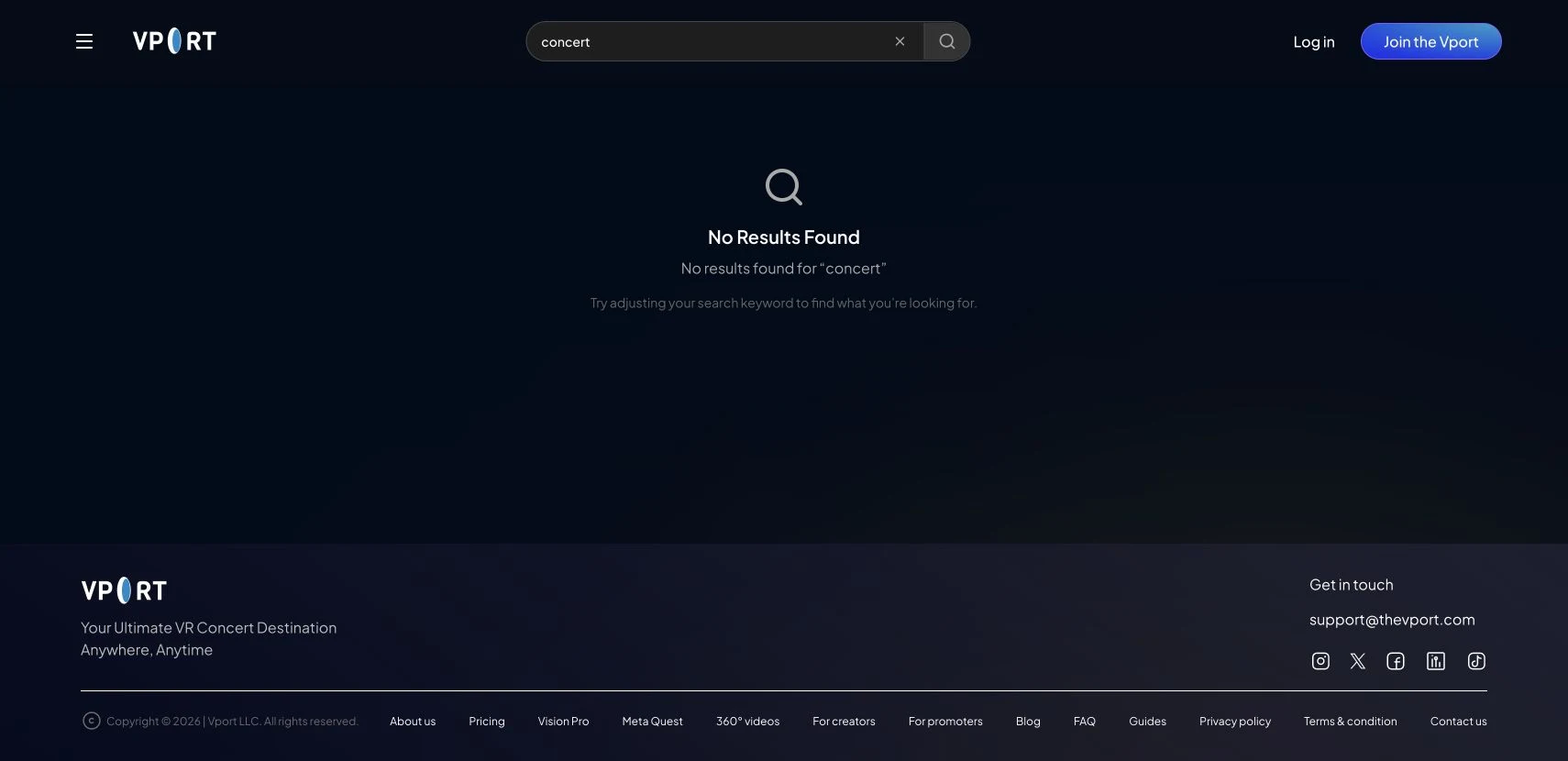
If your search query does not match any content on the platform, the page displays a "No Results Found" message along with a suggestion to adjust your keywords or try a different search term. This helps you refine your query and find what you are looking for.
Tips for Better Search Results
- Use the artist's full name, event title, or venue name for the most accurate results.
- If your search returns too many results, add more specific terms to narrow things down.
- Remember that the minimum query length is 3 characters, so very short abbreviations may not return results.
- Try different variations of a name if your first attempt does not surface what you are looking for.