
Overview
The Artist Page combines an artist banner, avatar, genres, short biography, performances, events, and linked social profiles. It also provides Follow, Share, and Hide or Unhide actions.
Purpose
Use the Artist Page to learn about an artist, watch available performances, find events that feature them, open their linked profiles, follow them, or control whether their content appears in discovery.
How to Use
Open an artist card from Home, Search, Following, an event page, or another artist rail.
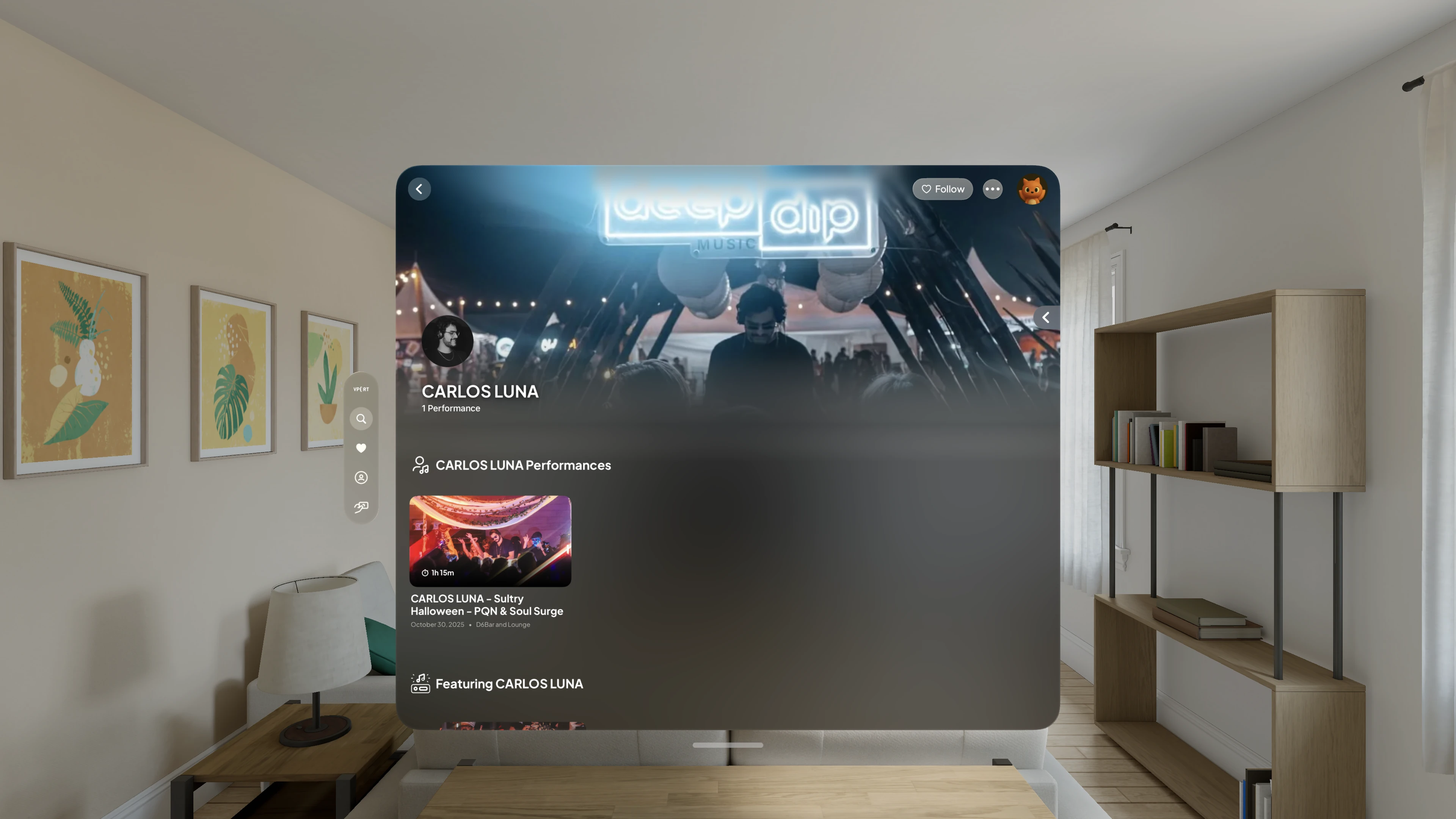
What You'll Find on the Artist Page
Artist's Name
Displayed at the top of the page in large, clear letters to ensure users immediately know whose page they’re viewing.
Profile Picture and Background
The top banner can show the artist's background image, avatar, performance count, and genres supplied for that artist.
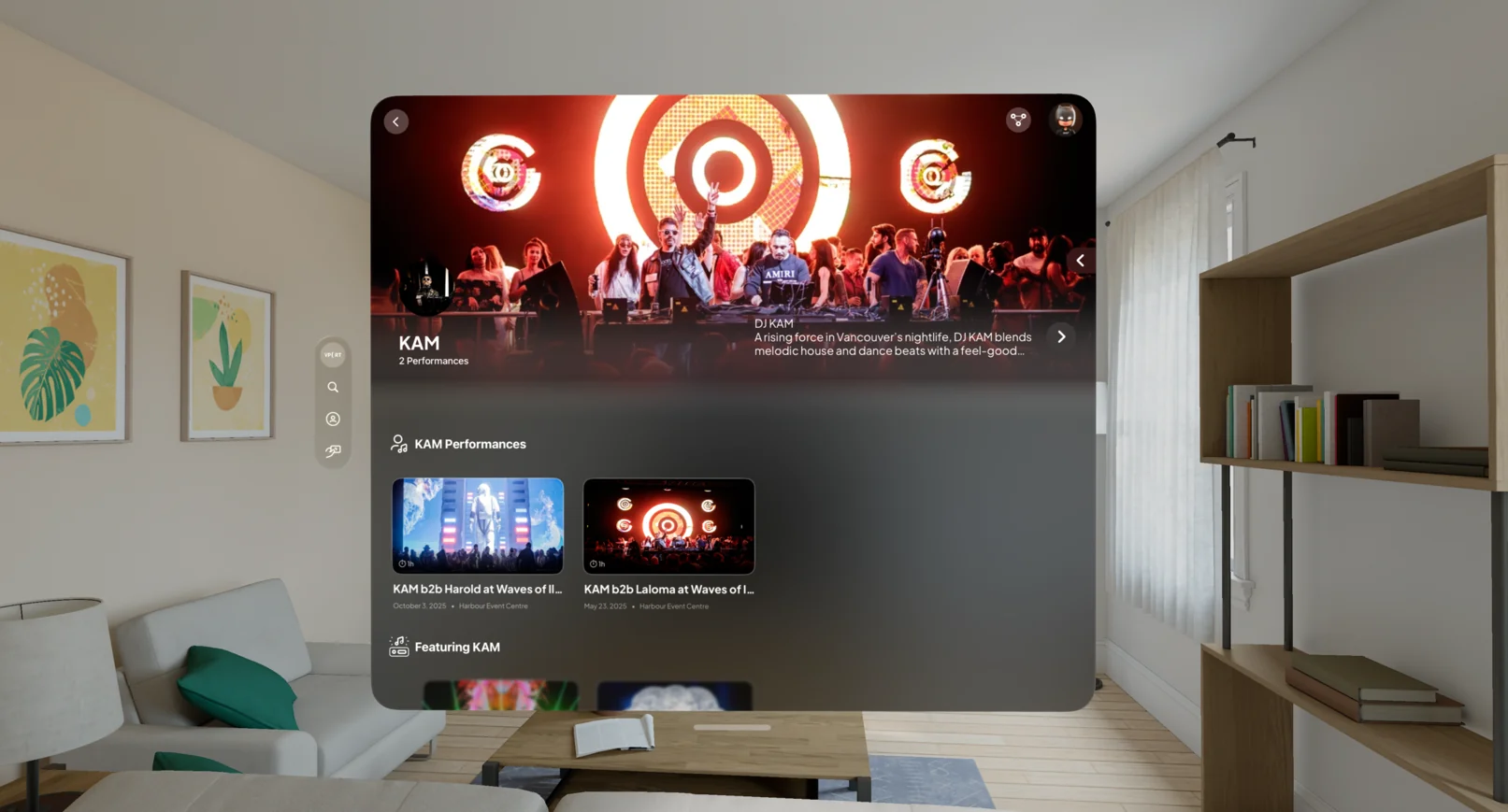
More Photos
When biography or gallery content is available, More Photos opens an expanded sheet with the artist's full biography and images.
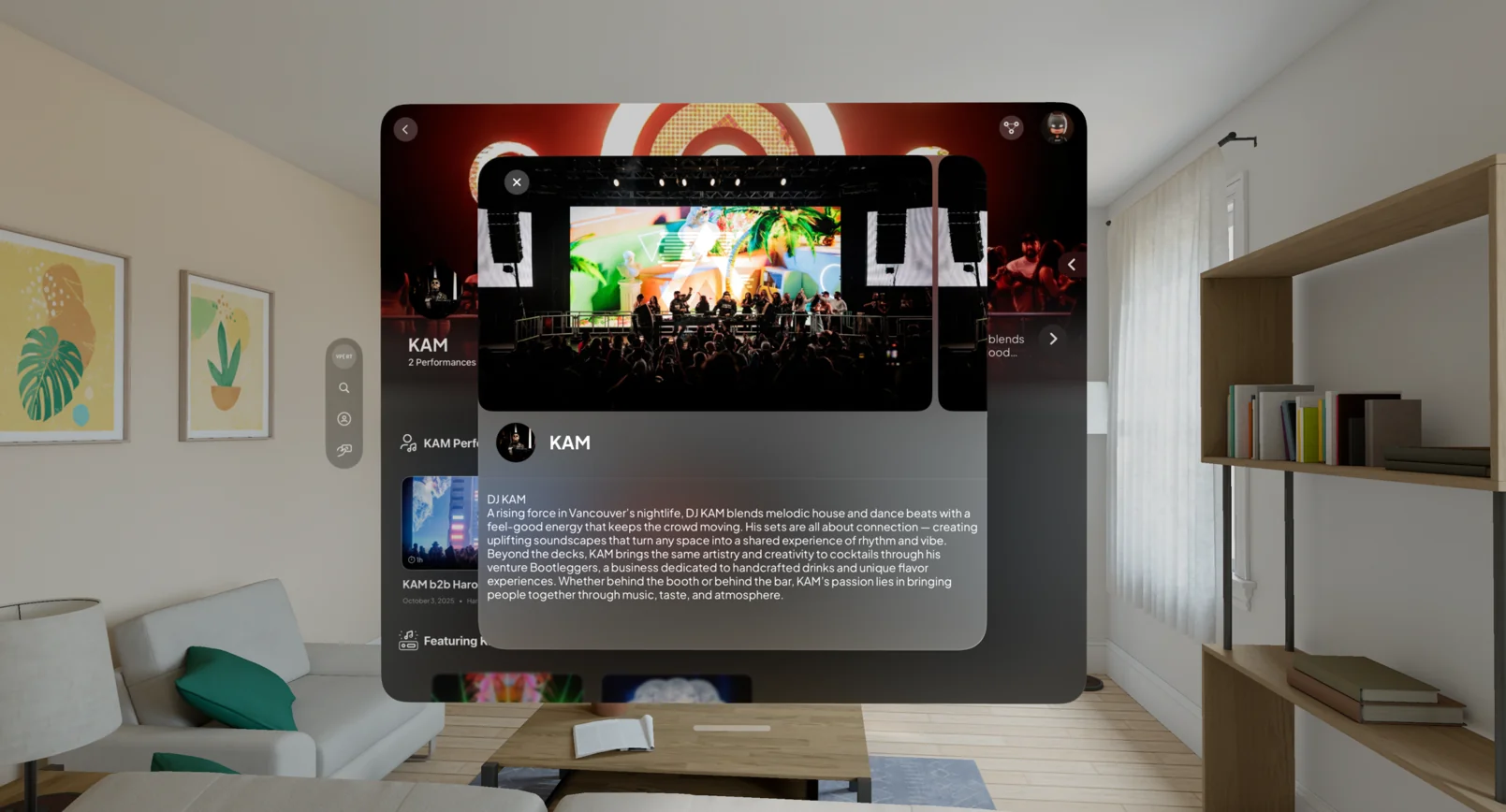
Next to the artist bio, a More Photos button lets you expand the artist’s full bio and browse their complete photo gallery. Gaze at More Photos and pinch to open the expanded view, then pinch back to return to the artist page.
Performances and Events
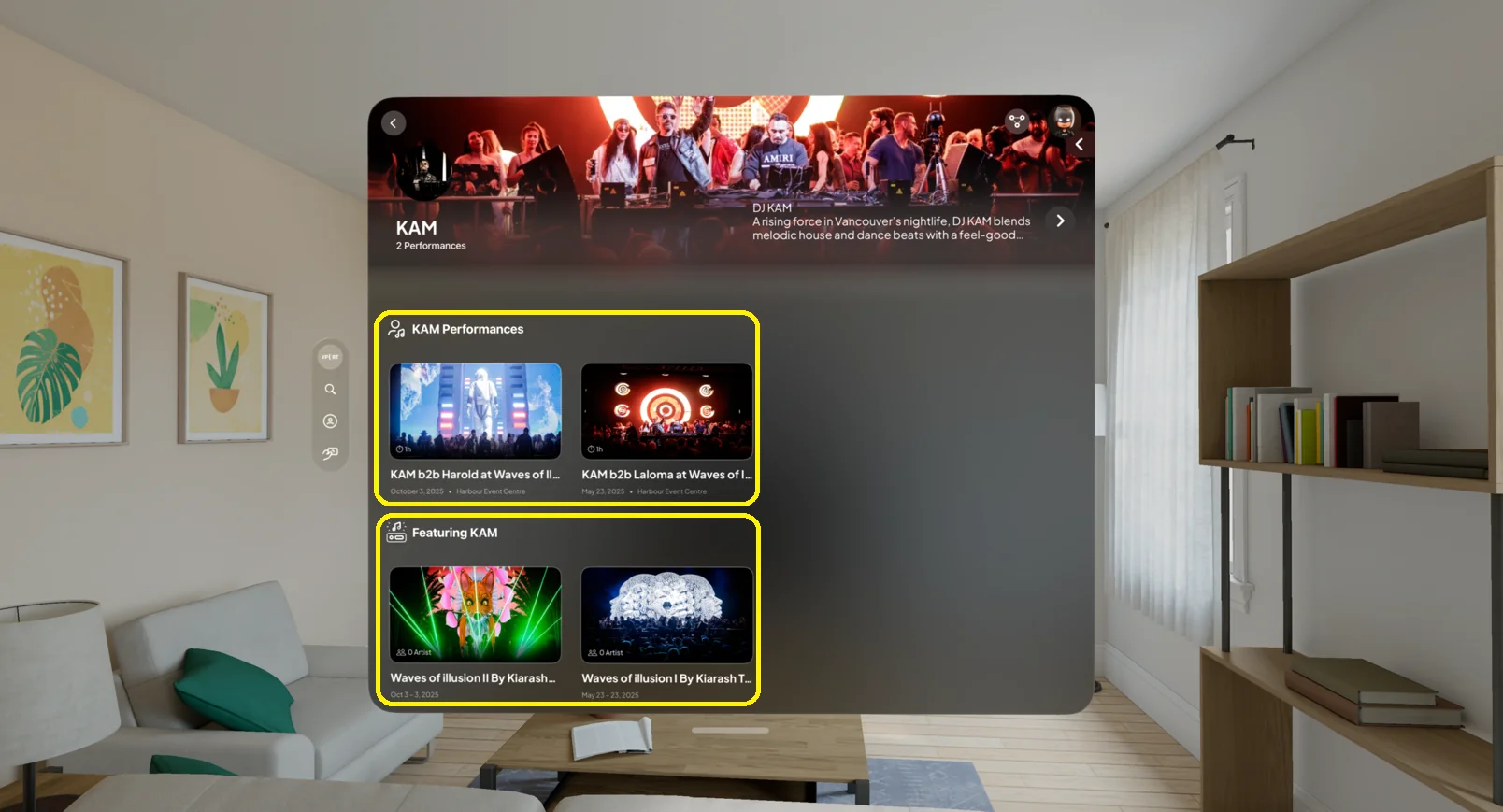
Depending on current data, the page can show these rails:
- Now Playing for live performances
- The artist's available performances
- Events featuring the artist
- Upcoming performances and future events
- Live events featuring the artist
Select a performance to open its access confirmation. Select an event to open the Event Page. Vport does not present an external ticket-purchase flow on this page.
Follow, Share, and Hide
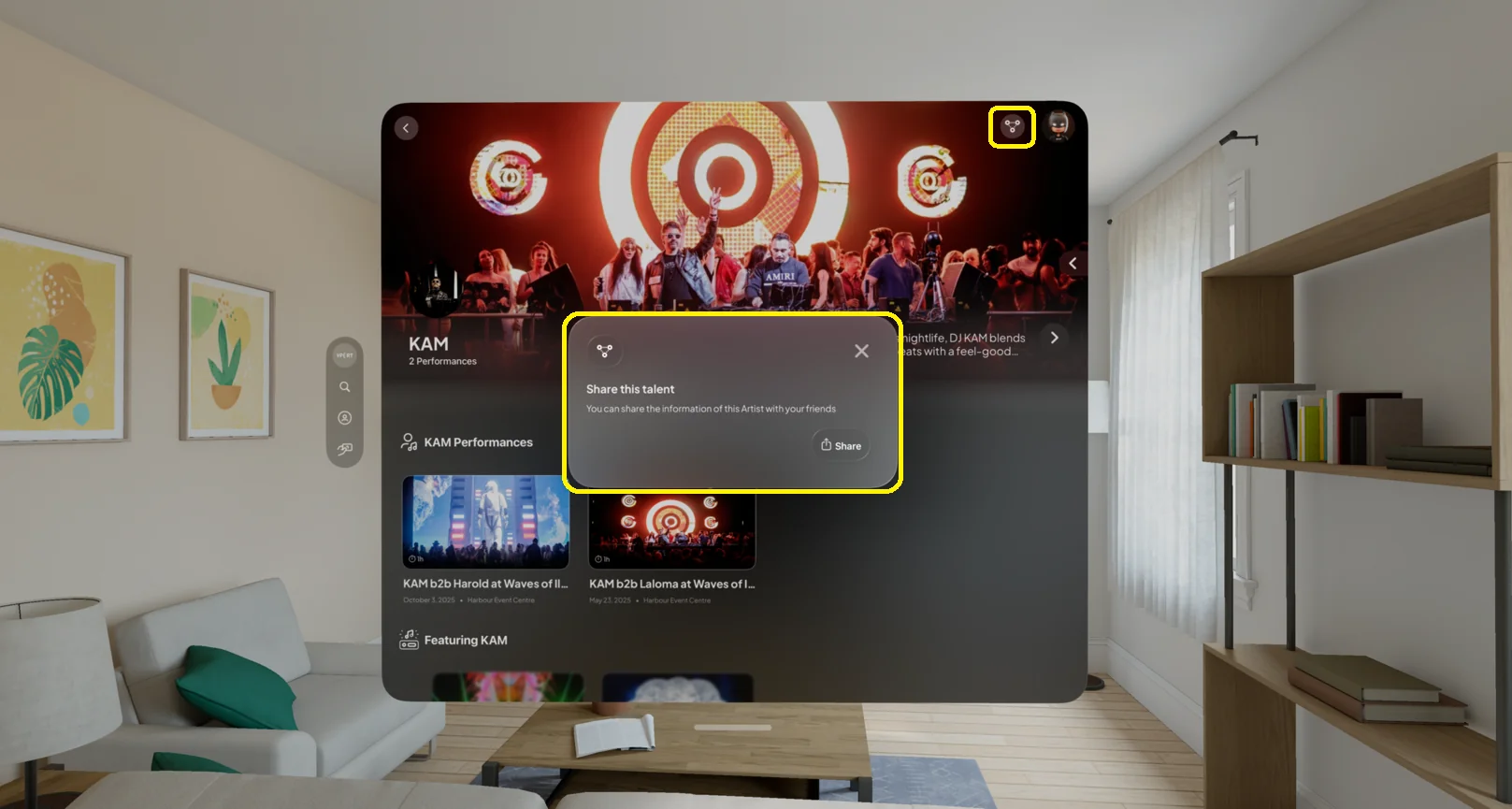
Use Follow in the top toolbar to follow or unfollow the artist. Open the three-dot menu for Share and Hide Artist or Unhide Artist. Share opens the visionOS share sheet for the artist's VPORT link.
Social Links
When an artist has connected accounts, a Connect row can show Spotify, Apple Music, Instagram, SoundCloud, TikTok, X, YouTube, Facebook, or a website. Gaze at an icon and pinch to open its link.
Only the services an artist has linked appear, so the row differs from artist to artist.
Troubleshooting: Common Issues and Solutions
Can't Find the Artist You're Looking For?
- Double-check the spelling of the artist's name.
- Try using the search bar to find the artist.
- If you still can't find the artist, they may not have a page on our platform yet.
Photos Aren't Loading?
- Make sure you have a stable internet connection.
- Try refreshing the page.
- If the photos still aren't loading, there may be a temporary issue with our servers. Please try again later.
Performances or Events Are Missing?
- Only content currently associated with the artist and available to your account appears.
- A live or upcoming rail is absent when there is no eligible content.
- If content appears incorrect, contact VPORT Support with the artist and event names.
Share or Social Link Isn't Opening?
- Open Share from the three-dot menu, not from the Connect row.
- A Connect icon opens the artist-supplied external URL.
- Check network connectivity and try again. If the issue persists, contact VPORT Support with the artist name and the affected action.