
Credit & Payments
VPORT credit is used for paid events. On the web, available credit packages are purchased through Stripe Checkout.
Buy credit on the web
- Sign in and open Credit.
- Review the packages currently displayed. Package amounts come from the active catalog and can change.
- Select a package and continue to Stripe Checkout.
- Complete payment using a method Stripe offers for that checkout.
- Return to Credit and confirm the purchase under Payment History.
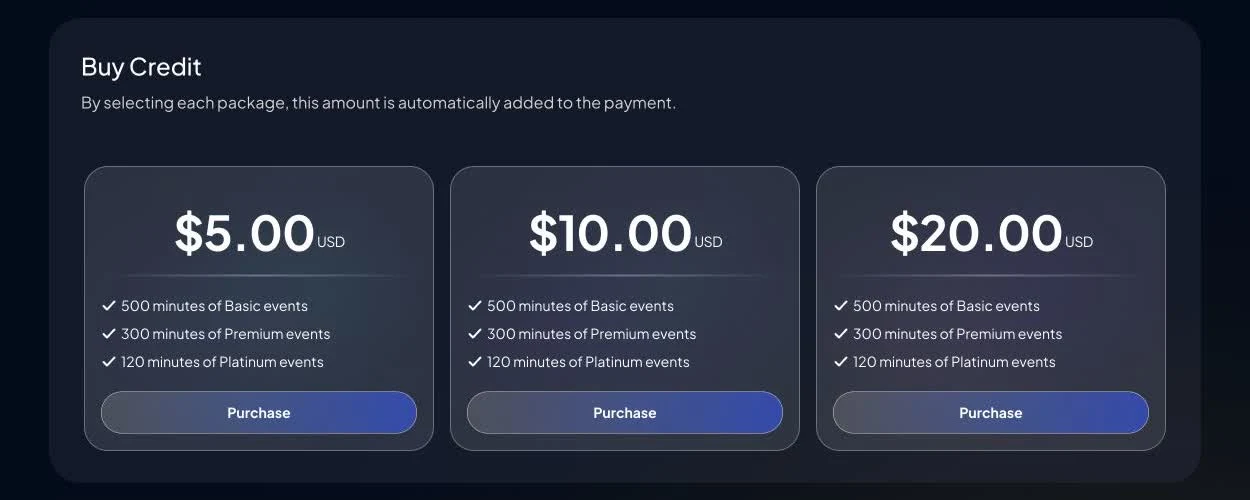
VPORT does not provide a separate web page for managing saved cards. Payment methods and billing verification are handled in Stripe Checkout.
Promotions
Current web promotions are applied through a VPORT promotion link. Sign in, open the original link, and confirm that the promotion banner appears on the Credit page before choosing a package.
There is no general manual-code box on the current web Credit page. If you received a code without a working VPORT link, contact Support privately and do not post the offer publicly.
Review payment history
The Credit page groups activity into these filters:
- All: purchases, usage, and adjustments together
- Purchase: completed credit purchases
- Usage: credit deducted for paid playback
- Adjustment: corrections or other account adjustments
Each row shows the recorded date, starting balance, amount, and ending balance. Usage entries can include more information about the playback session.
Understand per-minute billing
For a paid event, VPORT calculates usage from recorded active Play time at the event's displayed price per minute. The active-play total is rounded to the nearest minute.
Pause and buffering are recorded separately from active play. There is no universal free first-30-second preview, so review the event price before playback.
Apple Vision Pro purchases
Credit packages in the Apple Vision Pro experience use Apple's in-app purchase flow. This is an Apple StoreKit purchase, not a VPORT-managed saved-card flow.
For a cross-platform overview, see the Credit & Billing Hub.
Resolve a payment or usage issue
Open Payment History, capture the relevant row, and create a conversation in VPORT Support. Include the package or event, date and time, amount, device, provider transaction identifier if available, and a screenshot. Never send your password or complete payment-card details.