
Stay in the Show: Vision Pro Comfort Settings for Long DJ Sets
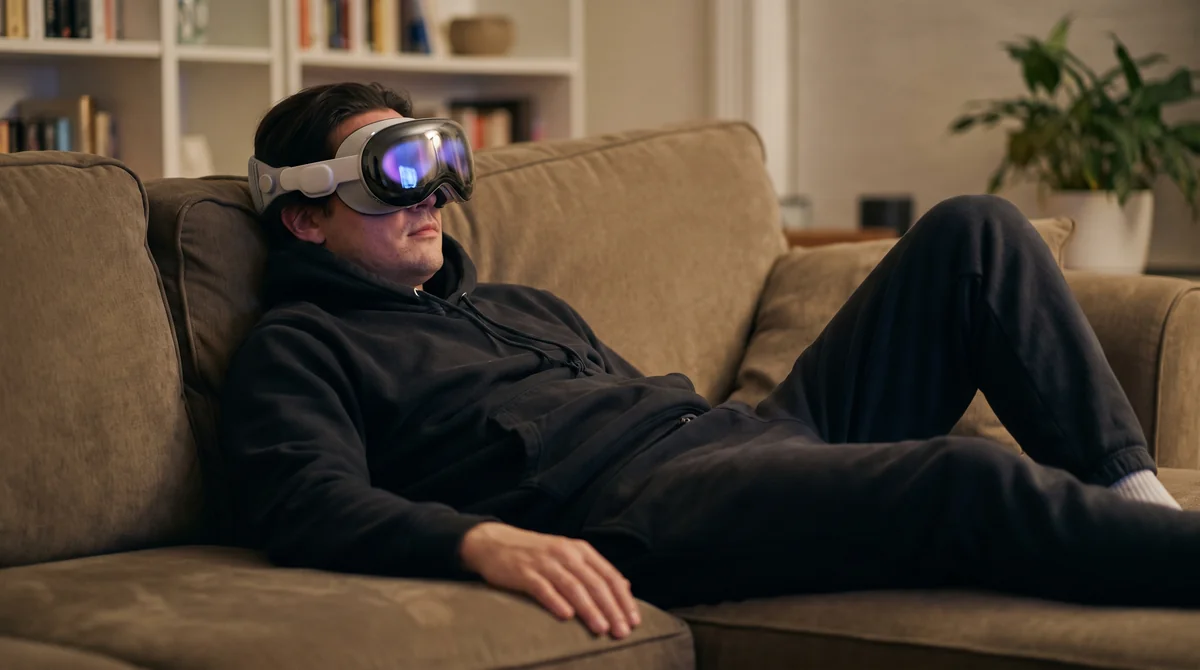
The best sets are the long ones. A melodic techno headliner does not really get going until the second hour, past the point where the festival crowd thins out and the people who stayed get the payoff. The closing set at a Berlin warehouse, the sunrise hour in Ibiza, the 2am stretch at The Warehouse Project. That is when the room turns into something you remember.
On Apple Vision Pro you can teleport straight into that room and stay for all of it. No travel, no line, no last train home. The only thing between you and minute 110 is comfort. Get the fit and the settings right and the headset disappears. Get them wrong and you are thinking about the strap instead of the breakdown. Here is how we set up Vision Pro for a full-length set.
Get the Fit Right Before the First Track
Comfort over a long session is mostly decided in the first two minutes, before any music plays. The biggest factor is how the weight sits on your face. Vision Pro ships with a Solo Knit Band, which looks clean and seats fast, but it puts most of the load on your cheeks and the bridge of your nose. For a 20-minute teleport that is fine. For a two-hour set it is the first thing you will feel.
The band swap that changes everything
Switch to the Dual Loop Band. It adds a strap over the top of your head, which moves a chunk of the weight off your face and onto your crown. It is in the box. Most people never open it. For long sessions it is the difference between forgetting the headset is on and counting down the minutes.
Then sort the Light Seal. If light is leaking in around your nose or cheeks, the fit is off, and a bad seal makes you crane your neck to compensate. Run the fit check, and if the cushion feels wrong, Apple ships more than one size. Apple's own fit and setup guidance walks through it. Five minutes here saves you an hour of fidgeting later.
The visionOS Settings That Cut Fatigue
Once the fit is right, a few software settings do the rest.
Start with the playback mode. VPORT plays in three modes on Vision Pro: Window, Spatial, and Immersive. Smart defaults pick one for you, but you can switch by hand anytime. For a long set, Immersive is the most present, and also the most demanding on your eyes and your sense of balance. If you start to feel it past the first hour, drop to Spatial. You keep the depth and the room, with less to track. We wrote up the full breakdown in the three playback modes guide, and the in-headset controls live in the Vision Pro media player docs.
Brightness, motion, and your eyes
Turn the display brightness down. A dimmer panel reads better on the eyes over two hours, and a too-bright display is a quiet source of fatigue you will not notice until you take the headset off. In Settings, under Accessibility, Reduce Motion calms the transition animations that can nudge sensitive viewers toward queasiness. It does not touch the set itself, only the interface around it.
One thing we handle on our side: we target 90 frames per second on playback. Anything choppier is what actually makes long immersive sessions tiring, so a smooth feed is doing quiet work the whole time you are in the room.
Plan the Set Like a Marathon, Not a Sprint
Even with a perfect setup, your body is not built to stare without blinking for two hours straight, in a headset or out of one. Treat a long set the way the artist treats their own night. Pace it.
Apple suggests a break every 20 to 30 minutes in the headset. For a DJ set that lines up neatly with the structure of the music. Take it off during the long ambient intro, or in the gap between the opener and the headliner. Eye calibration matters here too. If you skipped it during setup, run it. A bad eye setup makes everything feel slightly off, and you will tire faster without knowing why.
The bundle math actually helps you here
There is a happy accident in how VPORT is priced. A $4.99 Starter bundle covers 166 minutes at the Basic tier, which is more than a single long set. So the budget is not pushing you to rush. You can step out, get water, come back, and pick up where you left off without burning anything extra. We built pay-per-minute so the meter rewards presence, not speed. New to all of this? The first concert guide covers getting in the door.
Audio Routing for a Two-Hour Set
The picture gets all the attention. For a DJ set, the sound is the show. Vision Pro's built-in audio is good, but for a long session the move is AirPods Pro, which lock into the headset with low latency and give you head-tracked spatial audio. Turn your head toward the booth and the kick stays where the booth is. That stability is part of what keeps a long session from feeling disorienting.
Keep the volume moderate. The instinct at a real warehouse is to plant yourself next to the bass bin. Two hours of that in your ears is a different thing. A moderate level holds up better across a full set, and you will hear the high end of the mix more clearly anyway. Accessibility matters as much here as anywhere, and we wrote about what immersive music changes for fans who cannot attend live if that is your way in.
Why We Sweat the Small Stuff
We built VPORT because the best moments in electronic music happen in rooms most people will never get into, at hours most people cannot travel for. Teleporting you into the second hour of a closing set only works if you can actually stay for the second hour. Comfort is not a nice-to-have. It is the whole product. Dial in the band, the playback mode, the brightness, and the breaks, and Vision Pro stops being a device you are wearing and starts being the room you are standing in.
Ready to stay for the whole set? Start with a free account and teleport into your first one this weekend.