
Spatial Video Concerts: Spatial Video vs 360 vs VR
It is 1am in a fictional basement venue. The lights are low, the booth is close, and the crowd extends behind the camera. If you want to preserve that room, should you shoot spatial video, 360 video, or VR?
The question sounds simple because those terms are often used as substitutes. They are not. They describe different parts of the experience, and they can overlap in the same piece of media.
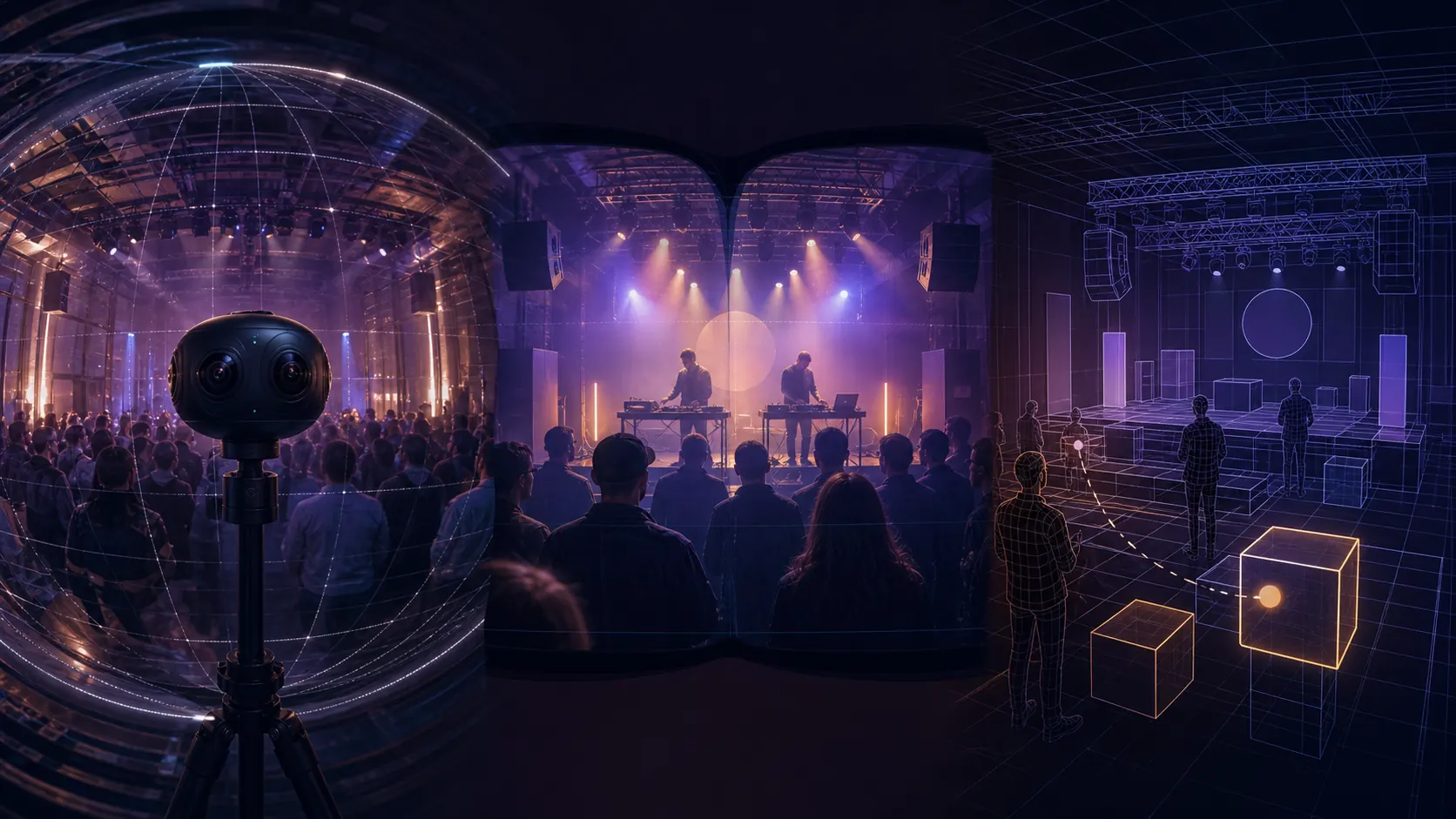
Here is the short version:
- 360 video describes how much of the scene is captured and where a viewer can look.
- Spatial video usually describes stereoscopic media with separate left-eye and right-eye views plus metadata that tells a compatible player how to present them.
- VR describes a headset experience or virtual environment. It can contain computer-rendered worlds, captured 180 or 360 video, or a mixture of both.
That means a concert video can be 360 and VR. It can be spatial and framed. It can also be stereoscopic 360, combining a full sphere with depth.
360 Video Describes the View Around You
A conventional camera records a frame. A 360 camera records a spherical view around its position, usually by stitching footage from multiple lenses.
Monoscopic 360 sends the same spherical image to both eyes. The viewer can turn around, but nearby objects do not have stereoscopic depth. Stereoscopic 360 records or encodes a distinct view for each eye, adding depth as well as freedom to look around.
YouTube supports captured 180 and 360 spherical video in browsers, its mobile app, and YouTube VR. That is a useful reminder that 360 describes captured media, not whether the scene was computer-generated.
For live music, 360 is strongest when the room matters. The viewer can look at the stage, crowd, ceiling, lighting rig, or camera position. The tradeoff is that every direction consumes resolution and creates stitching, placement, lighting, and privacy considerations.
Spatial Video Describes Stereo Media
Apple uses a precise technical definition. A spatial video is a QuickTime movie with a stereo MV-HEVC track and spatial metadata. The left-eye and right-eye views create stereoscopic depth, while the metadata describes how the media was captured and how Apple platforms should treat it.
Apple documents iPhone spatial video at 1920 by 1080 pixels and 30 frames per second. It is normally a framed, rectilinear view rather than a full sphere. A viewer sees depth inside the frame, but cannot turn around to reveal an area the camera never captured.
This is why spatial video and 360 are not quality levels. They solve different problems:
- A framed spatial shot can preserve depth between a performer, booth, and background.
- A monoscopic 360 shot can preserve the full room without stereo depth.
- A stereoscopic 360 shot can preserve both, at much greater capture and post-production cost.
VR Describes the Experience, Not the Origin
VR can be a rendered environment that responds to a viewer's movement. It can also be captured media presented inside a headset. A YouTube VR viewer watching a recorded 360 concert is still having a VR experience even though the venue and performance were filmed.
Rendered VR can offer abilities that a fixed camera position cannot, such as walking around a modeled venue, moving objects, or changing the environment. Captured immersive video preserves a real event, but the viewer's movement is usually limited to looking around from the camera position. Some experiences combine captured performances with rendered interfaces or social elements.
The useful distinction is not "real versus VR." It is which parts are captured, which are rendered, how the media is projected, and how much movement or interaction the player supports.
How the Formats Combine
| Example | Source | Field of view | Eye views | Typical viewer control |
|---|---|---|---|---|
| Monoscopic 360 video | Captured | Full sphere | Same image for both eyes | Look around |
| Apple-style spatial video | Captured | Framed | Separate stereo views | View depth inside the frame |
| Stereoscopic 360 video | Captured | Full sphere | Separate stereo views | Look around with stereo depth |
| Rendered VR environment | Computer-generated | Defined by the application | Rendered stereo views | Look, move, and interact as supported |
Camera specifications also need context. The Insta360 X4 manual documents monoscopic 360 recording up to 8K at 30 frames per second. The Insta360 Pro 2 manual documents 8K 3D panoramic capture. Those headline resolutions are spread across different projections and eye views, so they should not be compared directly with a framed 1080p spatial clip.
What the Terms Mean on VPORT
VPORT uses Window, Spatial, and Immersive as playback-mode names. They describe how media is presented in the app, not universal camera categories. Window is a conventional framed presentation, Spatial presents supported stereo media with depth, and Immersive surrounds the viewer with compatible panoramic media.
The source format still determines what is possible. A player cannot create a full sphere from a framed recording, and a monoscopic source does not become true stereo simply because it is shown in a headset. See the VPORT playback modes guide for the product-specific controls.
Choose the Experience Before the Camera
For a live-music production, start with four questions:
- Should the viewer look around the whole room or focus on a framed performance?
- Is stereo depth important at the expected viewing distance?
- Will the audience watch on phones and browsers, in a headset, or both?
- Does the project need captured reality, rendered interaction, or a combination?
Those answers define the deliverable more reliably than choosing a camera first. Our spatial video production checklist covers rights, camera placement, audio, testing, and distribution once the format is clear.